
Scam Alerts
Fake APK Update Links for Banking and Payment Apps in India
LinkExpln Team · Published October 18, 2026
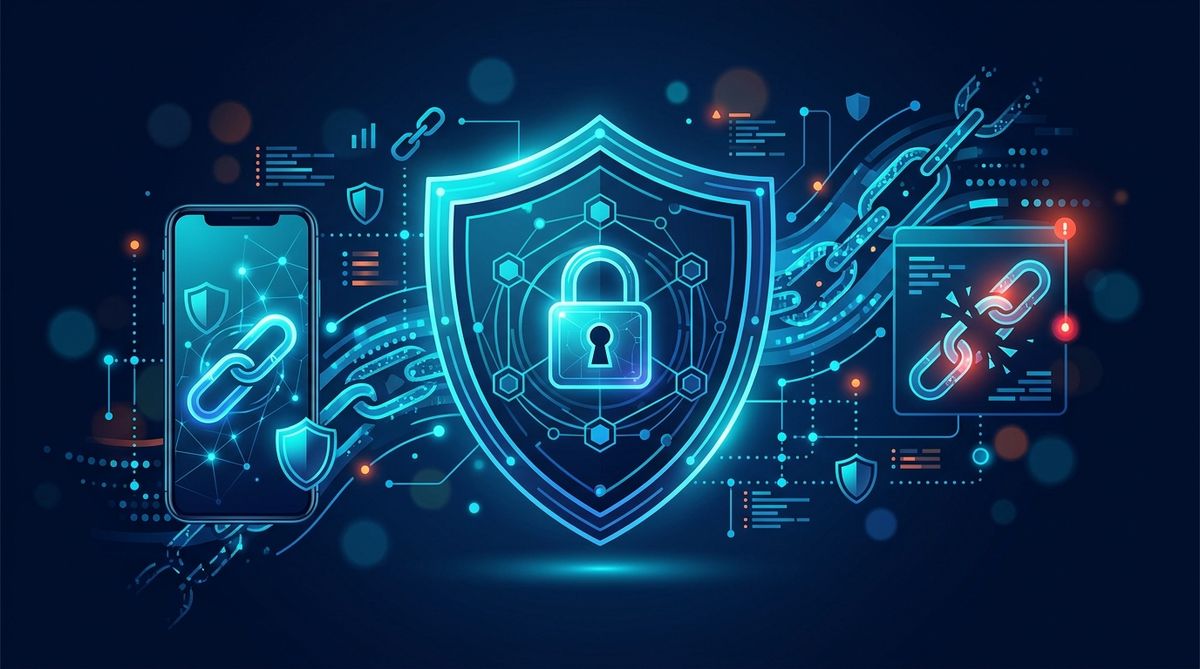
Mobile banking and payment apps are a routine part of daily life in India, which makes them a valuable target for attackers. A common tactic is to send a text message or WhatsApp message claiming your bank, UPI app, wallet, or payment service needs an urgent update. Instead of directing you to the official app store, the message pushes you to download an APK file from a link.
On Android, an APK is the installation file for an app. That does not make APKs inherently malicious, but fake “update” APKs are frequently used in phishing and malware campaigns. The goal may be to steal passwords, card details, UPI PIN-related information, device data, SMS messages, or accessibility permissions that help criminals take over accounts.
This article focuses on a pattern widely reported in India in recent years: smishing and WhatsApp-delivered update lures targeting users of banking and payment apps. The exact brands, wording, and links change over time, but the warning signs are often consistent.
How the scam usually works
The message normally creates urgency. It may say:
- your bank app will stop working today
- your KYC is pending
- your UPI account will be blocked
- a security patch is required immediately
- a payment app wallet is suspended until updated
- your account has unusual activity and needs verification
Instead of telling you to update through Google Play, the message includes a direct link to an APK download page, cloud file, shortened URL, or fake support portal. On WhatsApp, the sender may pose as customer support, an agent, or even a known contact whose account was compromised.
After installation, the fake app may do one or more of the following:
- mimic the real app login screen to steal credentials
- ask for SMS access to capture OTPs
- request accessibility permissions to observe your screen or perform actions
- ask for notification access to read verification messages
- overlay fake forms on top of genuine apps
- harvest contact lists and device details
- redirect you to a fake “verification” page for card or account details
Some campaigns are basic phishing pages packaged as apps. Others install more capable Android malware. The exact payload changes, so it is better to focus on behavior than on a single malware family name.
Why SMS and WhatsApp are effective
These channels work because they feel immediate and personal. Many people already receive legitimate alerts from banks and payment providers by SMS or messaging apps, so a fake alert can blend in.
Attackers also exploit common situations in India’s digital payments ecosystem:
- frequent app updates
- KYC-related messaging
- heavy reliance on OTP-based workflows
- familiarity with sideloading in some user groups
- support scams conducted in Hindi, English, or regional languages
A message may even include the real company name, logo, or support language copied from official communications. That alone is not proof the message is genuine.
Warning signs to check before installing anything
If a banking or payment app “update” arrives via message, slow down and verify before tapping. These are the most important checks:
1. The message pushes an APK instead of the official app store
Major banks and payment providers generally direct users to the Google Play Store or their official website for support information. A direct APK link sent over SMS or WhatsApp is a significant red flag, especially when paired with urgency.
2. The sender identity does not fully match the real organization
Look closely at phone numbers, WhatsApp business profiles, short links, and domain names. A single extra letter, random subdomain, or unrelated domain is enough to indicate fraud.
3. The language is urgent, threatening, or oddly written
Scam messages often rely on pressure: “update now,” “account blocked in 30 minutes,” or “KYC failure.” Grammar mistakes are common, but polished wording does not mean safe.
4. The app asks for excessive permissions
A payment app may need some permissions, but be cautious if a supposed update immediately asks for accessibility access, device admin rights, notification reading, or permission unrelated to core app features.
5. Android warns about installing from unknown sources
If your phone prompts you to allow installs from a browser, file manager, or chat app, that is a moment to stop. For sensitive apps like banking and payments, sideloaded installs are especially risky unless you are absolutely sure of the source.
6. The website or app design feels slightly off
Check the icon, app name spelling, package name if visible, login screen design, and support details. Small inconsistencies matter.
If you want to assess a suspicious download page or message link before opening it, use a dedicated tool such as the LinkExpln scanner. It can help you examine whether a link shows signs commonly associated with phishing or malicious delivery pages.
Safer ways to verify a real update
If you receive an update notice:
- open the Play Store yourself and search for the app manually
- visit the bank or payment company’s official website by typing the address yourself
- use the official in-app support or customer care number from the company website
- compare the app publisher name carefully before updating
- do not use phone numbers or links provided in the suspicious message
More broadly, review basic security practices for handling links, downloads, and urgent account alerts.
What to do if you already installed the APK
Act quickly, but do not panic. The right steps can reduce harm.
1. Disconnect the device from the internet
Turn off mobile data and Wi‑Fi. This may limit the app’s ability to communicate with its operator or receive commands.
2. Do not open banking or payment apps on that device
Avoid logging into sensitive accounts until the device is cleaned or reset. If malware is present, new credentials or OTPs may be exposed.
3. Review and remove suspicious app permissions
Check the recently installed app and look for:
- Accessibility access
- notification access
- SMS permissions
- admin privileges
- permission to install unknown apps
Remove these permissions if possible, then uninstall the suspicious app. If the app resists removal, try Android safe mode.
4. Change passwords from a different, trusted device
Use another phone or a computer you trust to change:
- bank account passwords
- payment app passwords
- email account password
- device account password if relevant
If your email is compromised, attackers may be able to reset other accounts.
5. Contact your bank or payment provider immediately
Tell them you may have installed a fake app. Ask them to monitor or temporarily restrict high-risk actions if needed. If any unauthorized transactions occurred, report them without delay through official support channels.
6. Check linked accounts and recent activity
Review bank statements, UPI transaction history, wallet history, beneficiary additions, and device login activity. Watch for smaller test transactions as well as larger transfers.
7. Run a security scan and consider a factory reset
A mobile security scan can help find known threats, but it may not detect everything. If the app had deep permissions such as accessibility or device admin rights, a factory reset is often the more reliable option after backing up essential files only. Do not restore suspicious APKs or unknown app backups.
8. Reinstall apps only from official sources
After cleanup or reset, reinstall banking and payment apps only from the Google Play Store or the provider’s official instructions.
9. Report the message and link
Reporting helps reduce exposure for others. You can report a suspicious link if you encountered a download page, and you should also report the scam to the relevant bank, payment platform, telecom spam controls, or cybercrime reporting channels available in your area.
How to reduce the risk going forward
A few habits make these scams much less effective:
- keep Android and apps updated through official stores
- disable installation from unknown sources unless absolutely necessary
- be skeptical of messages that create urgency around finance
- use app lock and strong screen security on your phone
- monitor account alerts and transaction notifications closely
- verify support contacts independently rather than trusting inbound messages
It also helps to understand how LinkExpln works when checking suspicious URLs tied to app downloads, fake support pages, or banking-themed alerts.
FAQ
Are all APK files dangerous?
No. APK is just the Android app package format. The risk comes from the source and what the app does after installation. For banking and payment apps, unofficial APKs are much riskier than store-based updates.
Can a fake update steal money even if I did not enter my password?
Potentially, yes. If you granted permissions such as SMS, accessibility, or notification access, an app may capture codes or observe account activity. The impact depends on the malware’s capabilities and what permissions you approved.
If I uninstall the app, am I safe again?
Not always. Uninstalling helps, but you still need to change passwords, review permissions, check account activity, and consider a factory reset if the app had extensive access.
Do banks and payment apps ever send update messages?
They may send service notices, but you should still update through the official app store or the provider’s verified channels. Avoid installing any app update directly from a link in SMS or WhatsApp.
Stay Protected
Not sure about a link you received? Check it with the LinkExpln scanner or learn how LinkExpln works.
More articles