
Scam Awareness
Package Redirection and ‘Update Your Address’ Delivery Scams in India: How Fake Courier Links, Small Rescheduling Fees, and OTP Tricks Lead to Card or UPI Fraud
LinkExpln Team · Published October 28, 2026

Many people first ask a simple question: Is that delivery message real, or is it a scam? If the message pushes you to “update your address,” “pay ₹10/₹20 for redelivery,” or “confirm delivery via OTP” through a link you were not expecting, treat it as suspicious. These scams work because they feel routine: a missed parcel, a minor fee, a quick fix. But the goal is often to steal your card details, trigger a UPI collect request, or use an OTP to complete fraud.
Key takeaway: If a delivery message asks you to click a link, pay a small fee, or share an OTP outside the courier’s official app or website, stop and verify independently. Use the courier’s official app, website, or customer care details you find yourself—not the ones in the message.
How the scam usually works
Package redirection scams often arrive by SMS, WhatsApp, email, or even RCS/chat-style messages. The wording varies, but the pattern is similar:
- You receive a message saying your parcel cannot be delivered because of an incomplete address.
- The message includes a link to “update address,” “reschedule delivery,” or “pay a small fee.”
- The website looks like a courier page or generic parcel-tracking portal.
- You are asked to enter personal details, card details, or UPI information.
- The scammer may then ask for an OTP or trigger a UPI collect request, saying it is needed for “verification” or “refund.”
In reality, that small fee is often just the pretext. The bigger risk is that the fake page captures sensitive data or pushes you into authorising a payment. India’s central bank repeatedly advises customers not to share confidential information like OTPs, card details, CVV, or PINs, and to be careful with digital payment frauds on unofficial channels (RBI). If the scam involves online cheating or suspicious payment requests, it can also be reported through India’s official cybercrime reporting portal (National Cyber Crime Portal).
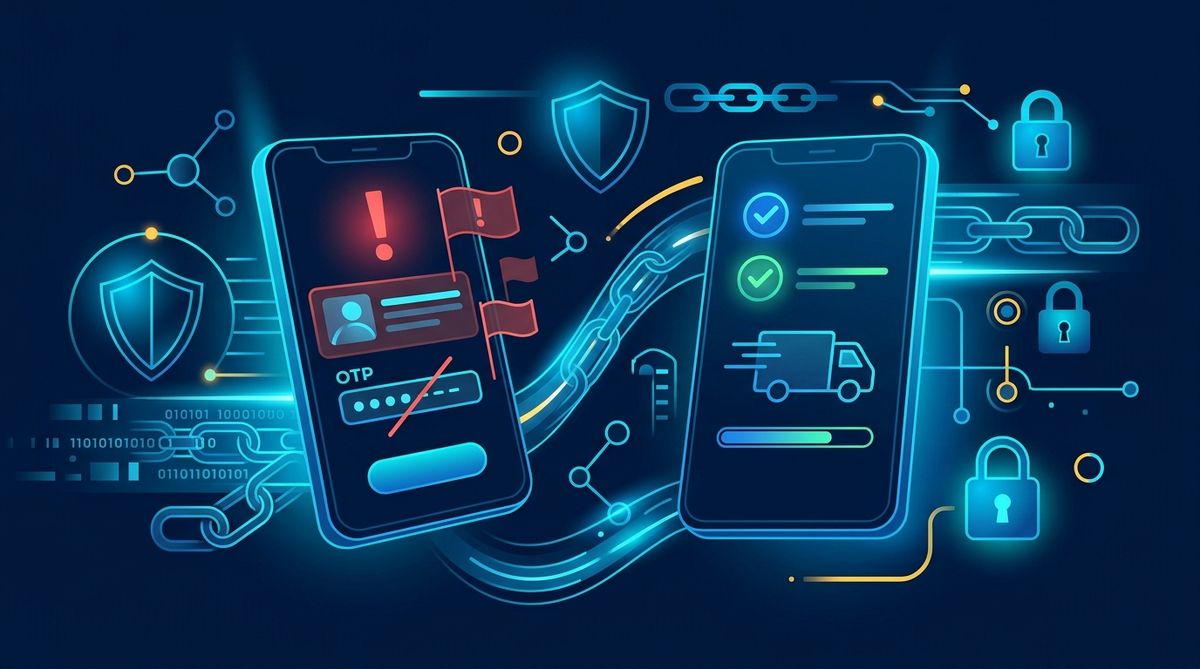 Illustrative image (AI-generated).
Why these fake courier messages are convincing
Delivery scams work because they exploit normal behaviour. Many people are genuinely waiting for parcels, especially during sale periods, festival seasons, or after placing multiple orders.
Common persuasion tactics include:
A small payment amount
A message asking for ₹10, ₹20, or ₹30 feels harmless. But the amount is often used to lower your guard while the site collects card details or initiates a separate fraudulent transaction.
Urgency
The message may say “final attempt,” “parcel will be returned today,” or “update within 12 hours.” Urgency is a classic social-engineering trick.
Familiar brand styling
Some fake pages use courier-like logos, colours, tracking numbers, and progress bars. A polished design does not prove authenticity.
OTP or UPI “verification” claims
Scammers may say an OTP is needed to confirm address details or that you must approve a UPI request to receive a refund. In practice, OTPs and UPI approvals often authorise transactions—not harmless checks.
The three main fraud paths: card theft, UPI fraud, and OTP abuse
1. Card detail theft
The fake site asks for card number, expiry date, CVV, and sometimes billing details to collect the “redelivery fee.” Once entered, those details can be misused for unauthorised payments.
2. UPI collect-request fraud
Instead of a simple payment page, the scam may ask for your UPI ID or phone number. You then receive a collect request in your UPI app. If you approve it, money may leave your account. The National Payments Corporation of India warns users to be cautious and not approve collect requests unless they understand exactly what they are for (NPCI UPI safety guidance).
3. OTP-enabled fraud
After you enter card or banking information, the scammer asks for the OTP sent to your phone. That OTP may be the final step needed to complete a payment, add your card somewhere, or register a transaction. CERT-In, India’s national cybersecurity agency, regularly advises users not to click suspicious links and not to share OTPs or financial credentials (CERT-In).
Warning signs that the delivery link may be fake
Look for a combination of these signs:
You were not expecting a package
A fake message is more likely if you did not order anything or cannot match the message to a real shipment.
The sender name or number looks odd
Generic sender IDs, random mobile numbers, or foreign-looking numbers are warning signs. But even a familiar-looking sender name can be spoofed.
The link is not the courier’s official domain
This is one of the strongest clues. Watch for misspellings, extra words, unusual domain endings, or shortened links. If you want, you can inspect it first with the LinkExpln scanner.
The message asks for a tiny fee through a link
Legitimate courier charges are usually visible inside the retailer’s or courier’s official system, not through a random external page sent unexpectedly.
It asks for card details, UPI PIN, or OTP
That is a major red flag. No genuine support interaction should require you to reveal your UPI PIN or share OTPs for “verification.”
Poor language or inconsistent branding
Spelling errors, awkward wording, or a page that mixes different logos and names can indicate fraud. Still, some scams are polished, so do not rely on grammar alone.
What to do if you get an ‘update your address’ delivery message
Follow these steps:
1. Do not tap the link immediately
Pause first. Scammers rely on quick reactions.
2. Check your real orders
Open the shopping app or courier app you already use and look for matching tracking information there.
3. Visit the courier site manually
Type the official website address yourself or use the official app from a trusted app store. Do not use contact details provided in the suspicious message.
4. Never share OTPs, CVV, card PIN, or UPI PIN
These are highly sensitive. Banks and payment systems do not require you to disclose them to “verify delivery.”
5. Be careful with UPI collect requests
If a request appears in your app when you expected only to receive information or a refund, stop. Read every prompt carefully before approving anything.
6. Scan or report the link
If you are unsure, use a tool like the LinkExpln scanner or report a suspicious link so it can be reviewed.
If you already clicked the link or paid the fee
Do not panic, but act quickly.
If you entered card details
- Contact your bank immediately using the number on the back of your card or the official banking app.
- Ask the bank to block or secure the card if needed.
- Monitor your statements and app alerts for unauthorised transactions.
If you approved a UPI request or shared account details
- Contact your bank or payment app support through official channels.
- Report the incident as cyber fraud on the National Cyber Crime Portal.
- If money has already moved, report it as soon as possible; fast reporting can matter.
If you shared an OTP
Treat it as serious, especially if you had also entered card or banking details. Contact your bank right away and ask what protective steps are needed.
If you installed an app from the link
Uninstall it if possible, run a security scan, review app permissions, and change important passwords from a clean device if you suspect compromise. Reviewing basic security practices can also help after a phishing attempt.
Illustrative example
Illustrative example: “Dear customer, your parcel could not be delivered due to an incomplete address. Please update within 6 hours to avoid return. Pay ₹15 redelivery charge here: track-redeliver-now.example”
This kind of message is suspicious because it creates urgency, asks for payment through a link, and pressures you to act before verifying.
How to protect yourself going forward
A few habits reduce your risk significantly:
- Track parcels only in official shopping or courier apps.
- Avoid logging into payment or banking pages from message links.
- Turn on transaction alerts in your banking and UPI apps.
- Read every UPI prompt fully before approving.
- Keep your phone and apps updated.
- Warn family members who may be less familiar with phishing tricks.
If you want to understand how link checks can help before you click, see how LinkExpln works.
FAQ
Can a real courier ever ask for an address update?
Sometimes delivery issues do happen, but you should verify them only through the courier’s official app, website, or customer care channels you find independently.
Is a small fee always a scam?
Not always. But an unexpected payment request delivered through a message link is risky enough that you should verify it independently before paying.
Can scammers misuse just my phone number?
A phone number alone is not usually enough for direct account theft, but it can be used for social engineering, phishing, or to make a scam message look more convincing. The bigger danger is when it is combined with card data, OTPs, or approved UPI requests.
The bottom line
Fake package redirection and address-update messages are effective because they feel ordinary. The safest habit is simple: do not trust the message—verify the delivery independently. If you are unsure about a link, check it before opening and report suspicious ones so others are less likely to be tricked.
Stay Protected
Not sure about a link you received? Check it with the LinkExpln scanner or learn how LinkExpln works.
More articles